Server Configuration
The Server Configuration page provides a visual interface for viewing and editing the server's runtime settings. Open it from Administration > Server Config in the sidebar.
This page is restricted to administrators. When configuration writing is disabled (fire-arrow.admin.config-write-enabled=false), the page operates in preview mode - you can view settings and download a configuration file, but changes cannot be applied directly to the running server.
Overview
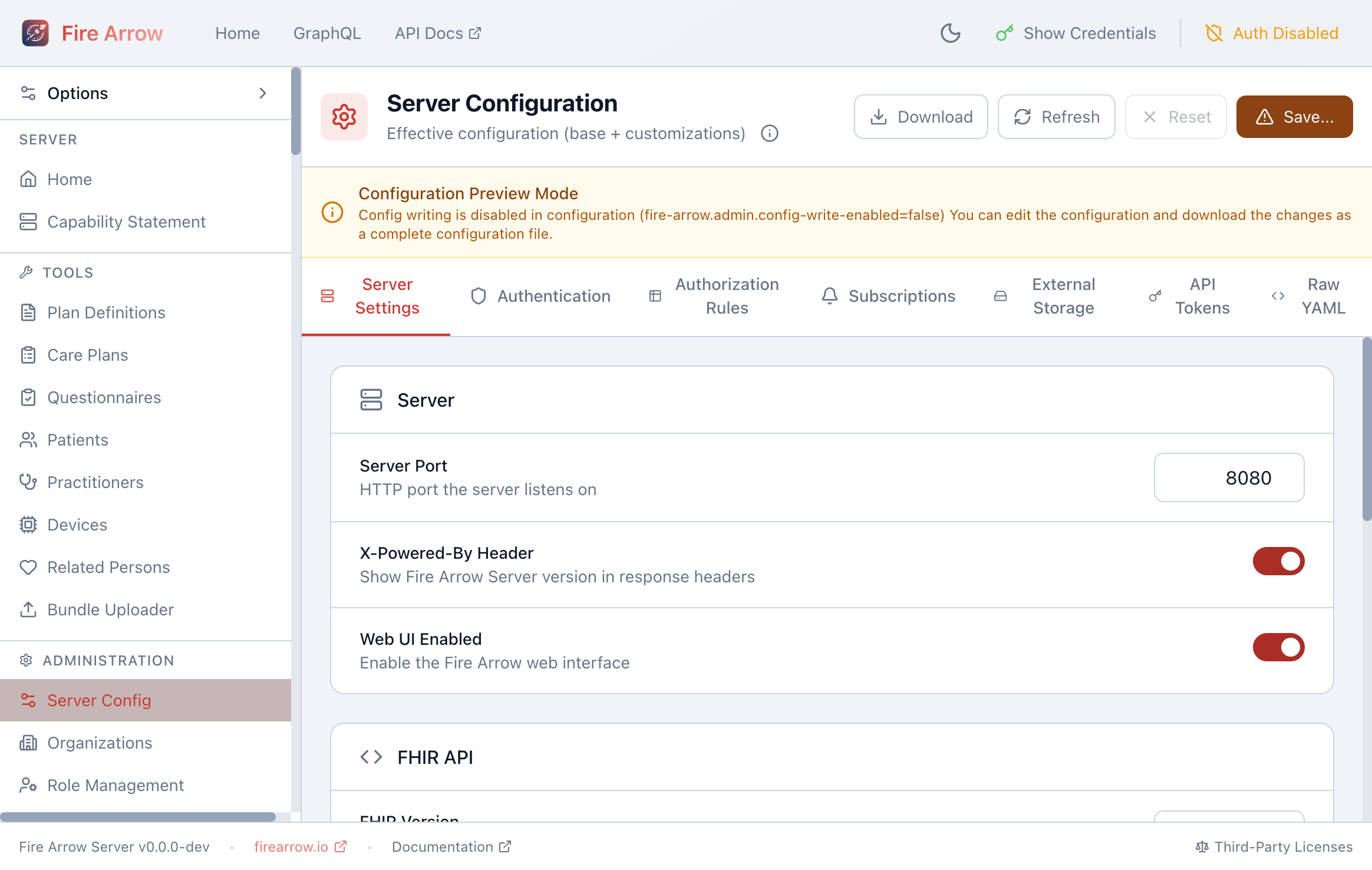
The page header shows:
- Effective configuration label with an info icon explaining the merge of base and custom settings.
- Download - export the current configuration as a YAML file.
- Refresh - reload the configuration from the server.
- Reset - discard unsaved changes.
- Save - apply changes to the running server (when config writing is enabled).
Configuration Tabs
Settings are organized into tabs:
Server Settings
Core server settings including:
- Server Port - the HTTP port the server listens on.
- X-Powered-By Header - whether to include the server version in response headers.
- Web UI Enabled - toggle the web administration interface.
- FHIR API settings:
- FHIR version (DSTU2, DSTU3, R4, R5).
- OpenAPI/Swagger toggle.
- GraphQL API toggle.
- Clinical Reasoning (CQL) toggle.
- MCP Server toggle.
Authentication
Configure OAuth 2.0 / OIDC identity providers and authentication behavior.
Authorization Rules
Define role-based access control rules that govern which users can access which resources. See the Authorization documentation for the full rule model.
Subscriptions
Configure FHIR Subscription channels (REST hook, email, websocket, Azure Storage Queue).
External Storage
Configure binary storage backends (e.g. Azure Blob Storage) for storing file attachments.
API Tokens
Manage server-level API tokens:
- Durable tokens - long-lived tokens for service integrations.
- One-time tokens - single-use tokens for temporary access.
View, create, and revoke tokens from this tab.
Raw YAML
A Monaco-based code editor that shows the full server configuration as YAML. Advanced users can edit the configuration directly in YAML format.
Changes made in the visual tabs are reflected in the Raw YAML tab and vice versa. Use whichever view you prefer.