Practitioners
The Practitioner Dashboard follows the same layout as the Patient Dashboard and lets you search, create, and manage practitioner records. Open it from Tools > Practitioners in the sidebar.
Requires the practitioner-viewer or practitioner-manager UI feature code.
Dashboard Overview
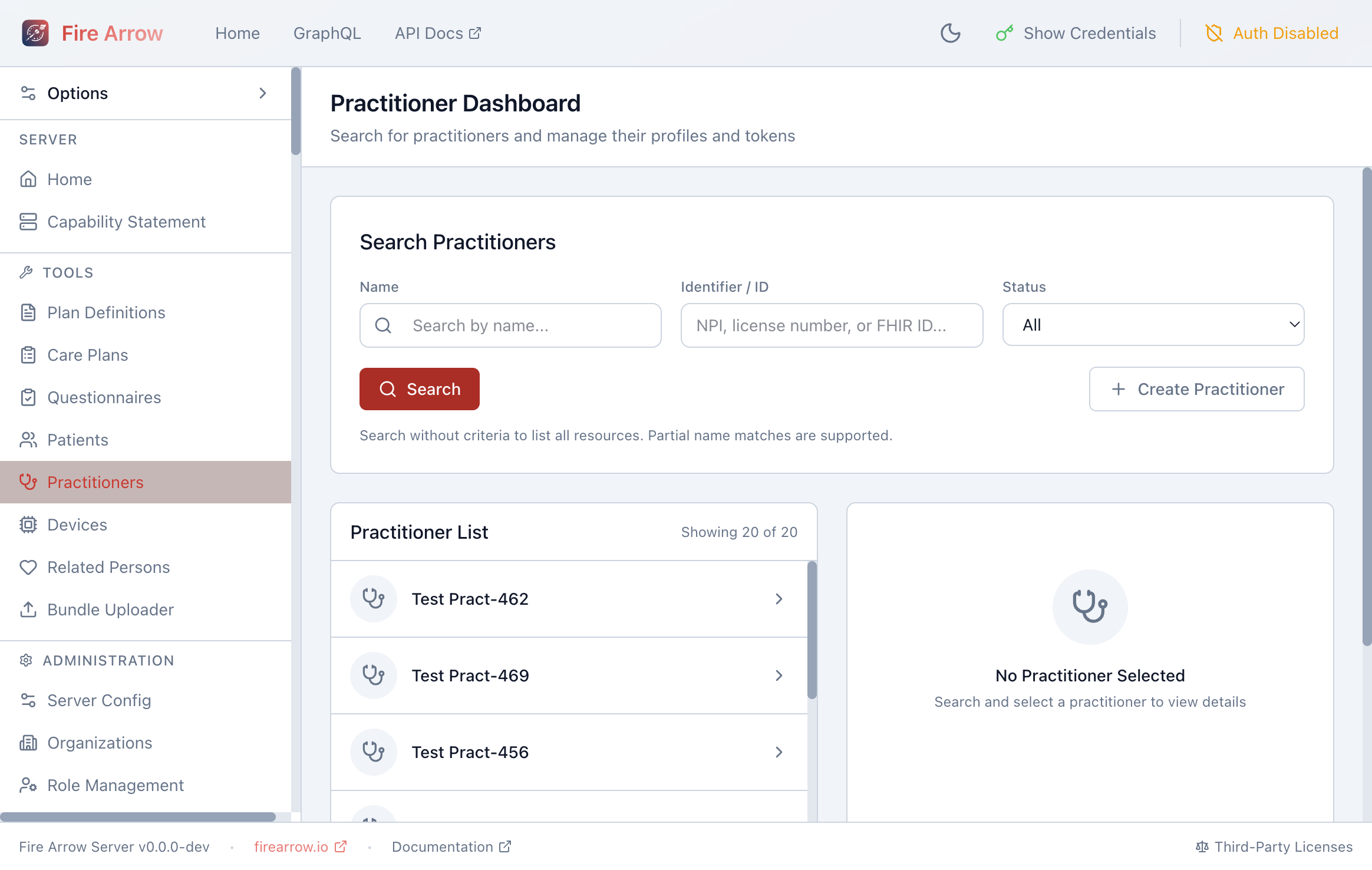
The page is split into a search panel, a result list, and a detail panel.
Searching for Practitioners
The search form provides:
- Name - partial name matches are supported.
- Identifier / ID - search by NPI, license number, or FHIR resource ID.
- Status - filter by Active, Inactive, or All.
Click Search to query. An empty search lists all practitioners.
Viewing Practitioner Details
Click a practitioner in the list to see their details on the right, including name, identifiers, and associated organizations.
Creating and Editing Practitioners
Click + Create Practitioner to open a blank form, or select an existing practitioner and click Edit in the detail panel. Fields include:
- Given name and family name
- Identifiers (NPI, license numbers)
- Active status
- Contact information
Generating Access Tokens
As with patients, the detail panel offers One-Time Token and Durable Token buttons to generate API tokens scoped to the selected practitioner.